AI sorts immigration case documents and paralegals review its work. I designed how they navigate, read status and trust what the AI did.
(01)The problem
Paralegals had to open every document to know what was going on.
What hurt
Confusing states. You had to open each document to see what was going on.
No record of what had already been processed.
No sign of what the AI had touched.
Navigation that didn’t scale with the volume.
The context
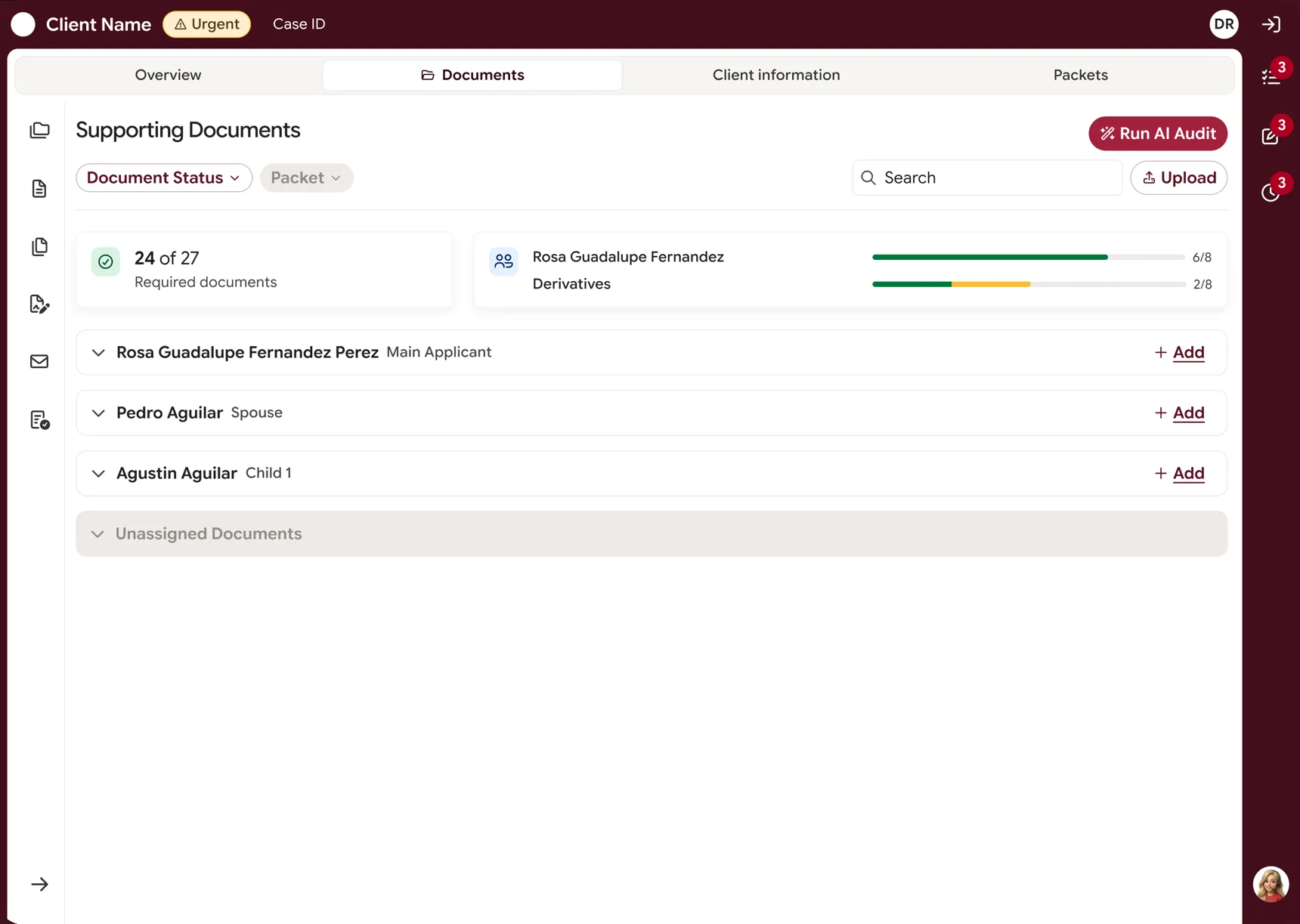
An internal product for a U.S. immigration firm. Documents arrive by scanned mail, email and the client portal. An AI sorts them, finds who each one belongs to, splits merged PDFs and cleans up the hard-to-read ones.
Each case has a huge number of documents, and the old tool wasn’t built for that.
What I did
Navigation and master layout
The document status system and its logic
Flows, modals, empty states and microcopy
Interactive HTML wireframes to validate
A working prototype in Lovable with real tokens
Handoff documentation in Figma
What the team did
The PO ran research with real users on a low-res prototype
The navigation couldn’t keep up with the number of documents per case.
Decision
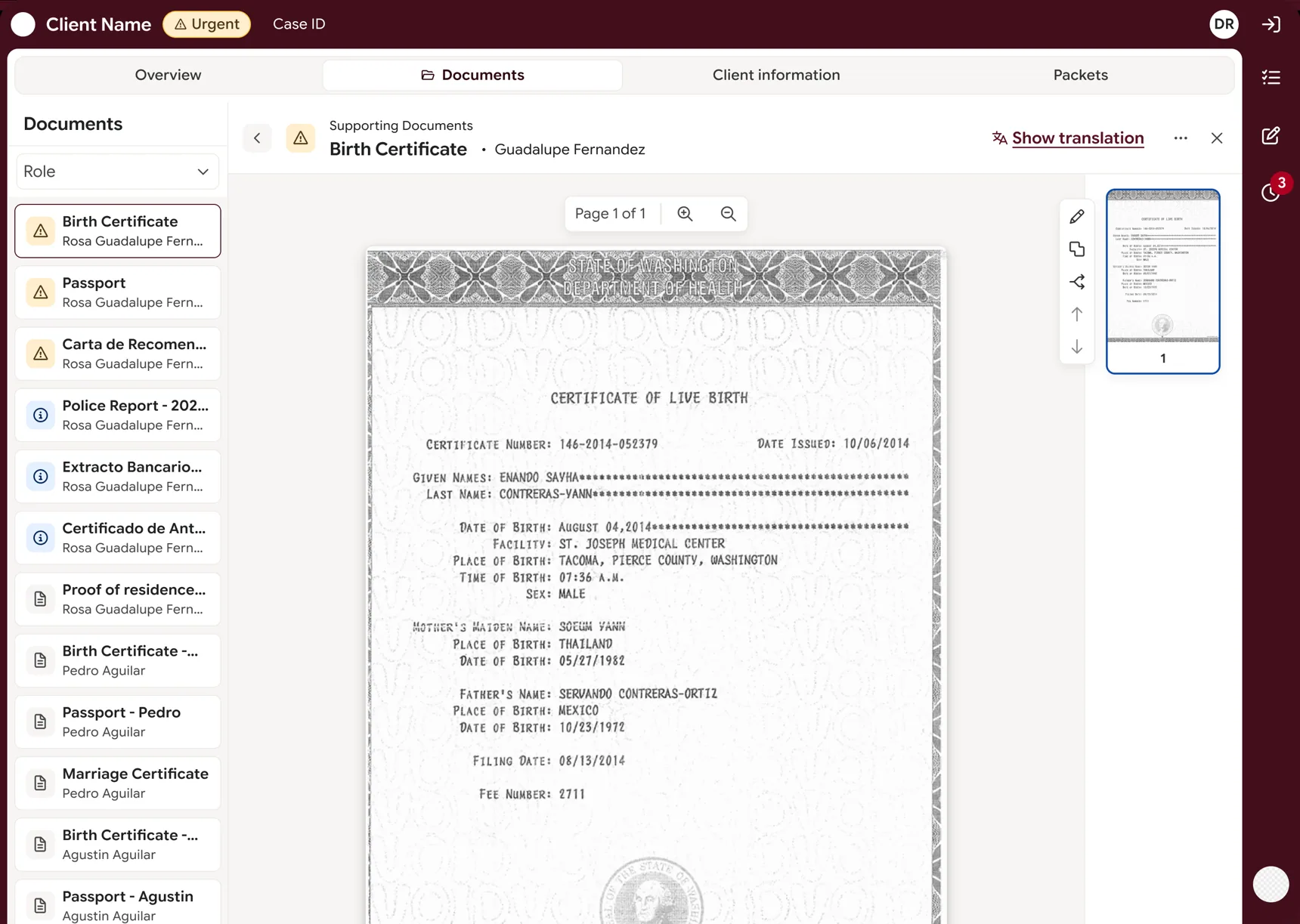
A left sidebar that changes with each tab and filters by status, plus a global right sidebar. Only the table scrolls.
Why
The context stays in view. In the rejected flow I also removed an intermediate table, one step less.
1Left sidebar: the list changes with each tab and filters by status
2Global right sidebar, the same on every tab
3Only the document area scrolls; header and tabs stay fixed
B · States
States as diagnosis
Problem
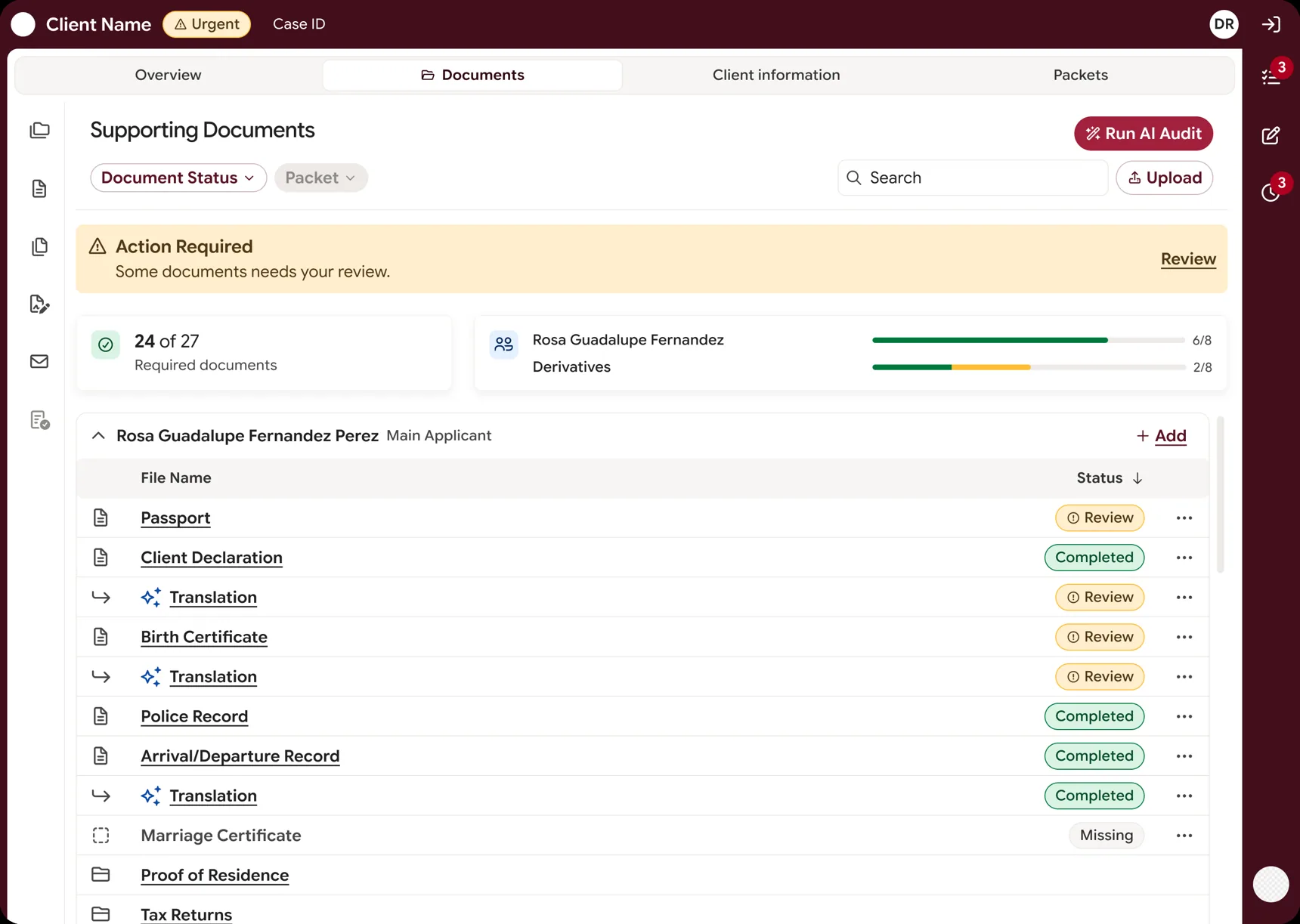
States were confusing, so people opened every document to understand it.
Decision
Six states with visual semantics: urgent yellow, informative blue, non-intrusive red. Each one defines the panel, the header actions and the main data.
Why
In the review queue I went from 8+ inherited tags to 5, plus a Reason column. The tag says the exact problem without opening the file.
1Status pills with visual semantics
2Urgent in yellow: what needs review now
3Progress per applicant, at a glance
C · AI trust
Trust in the AI
Problem
There was no way to know what the AI had touched.
Decision
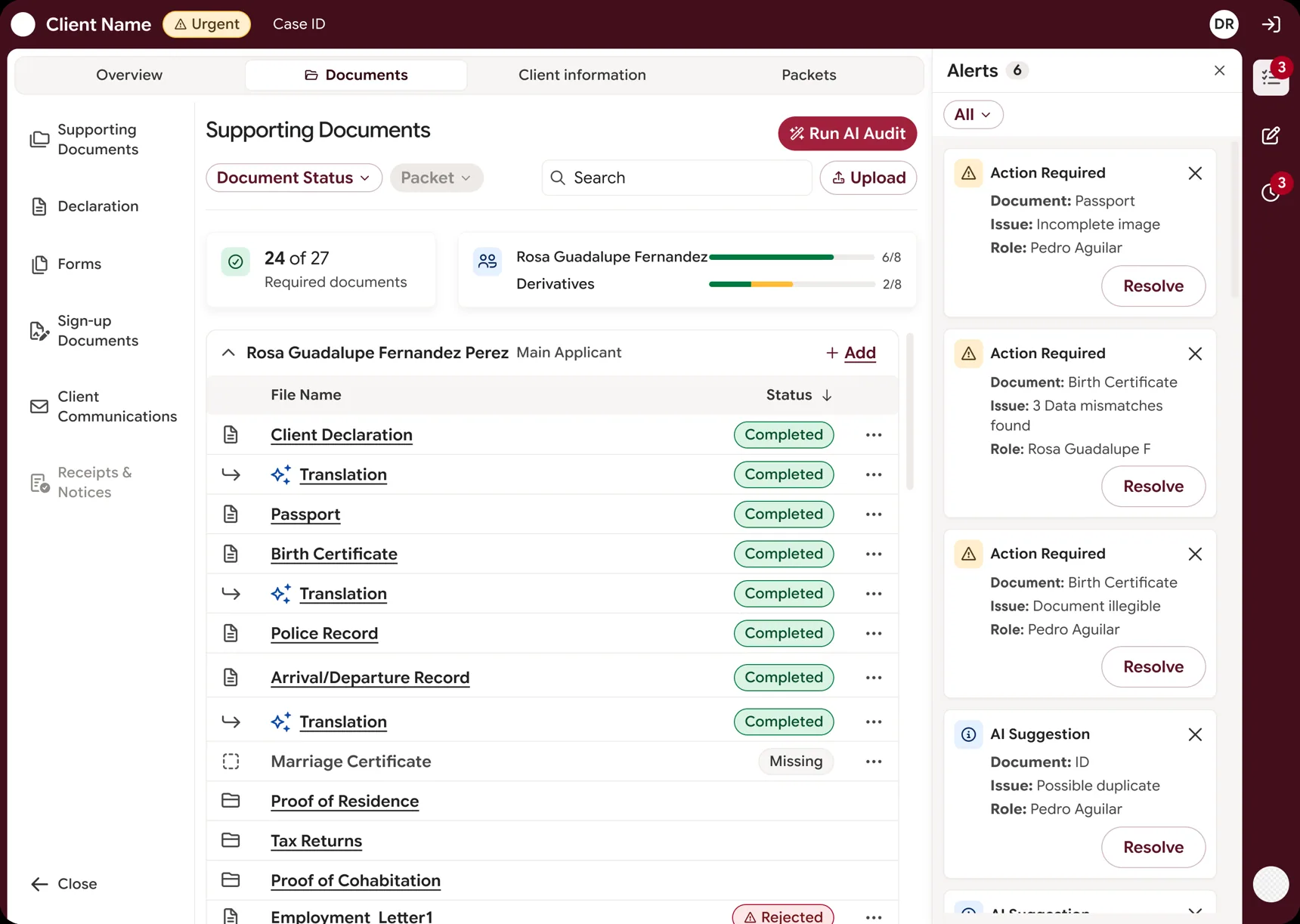
One "AI-processed" marker instead of an icon per process, a Processing status, and alerts per document and per case.
Why
It avoids visual debt later, and nobody acts on a document the AI is still processing.
1Alerts per document and per case, each with its own empty state
2One marker for anything the AI processed
3Run AI Audit on demand
I also specified how to compare the original and the enhanced version, with a "Back to original" option. It wasn’t designed before I left.
D · Traceability
Actions on clean data
Problem
There was no record of what had already been processed.
Decision
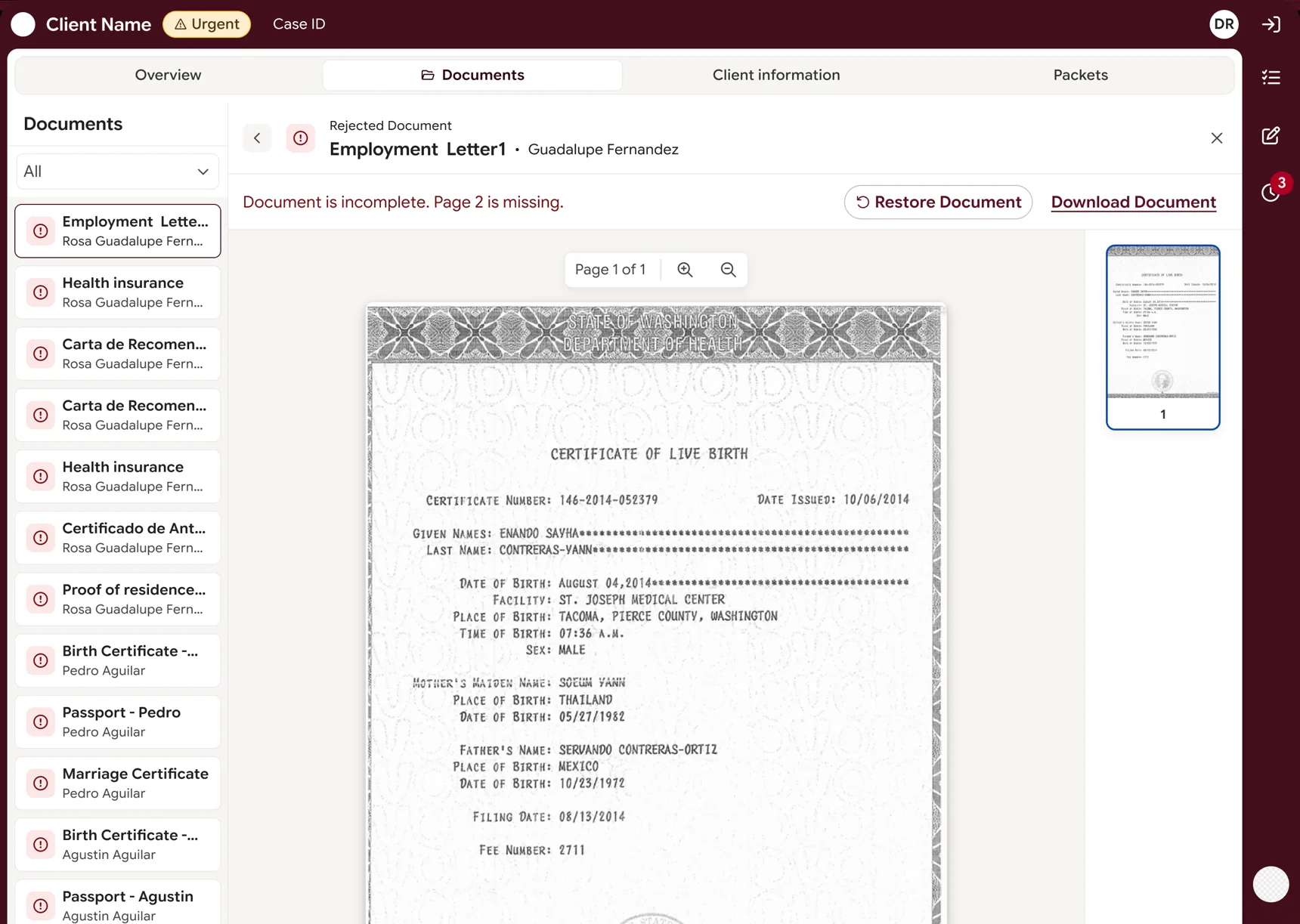
Replace and Restore cover three scenarios, including all slots full. Destructive actions ask for a reason. Active queue and history, with "Return to queue".
Why
Every change leaves a record, so the queue always shows what really happened.
1Restore, with a mandatory reason
2Why it was rejected, without opening the document
3Queue of rejected documents
Lovable prototype
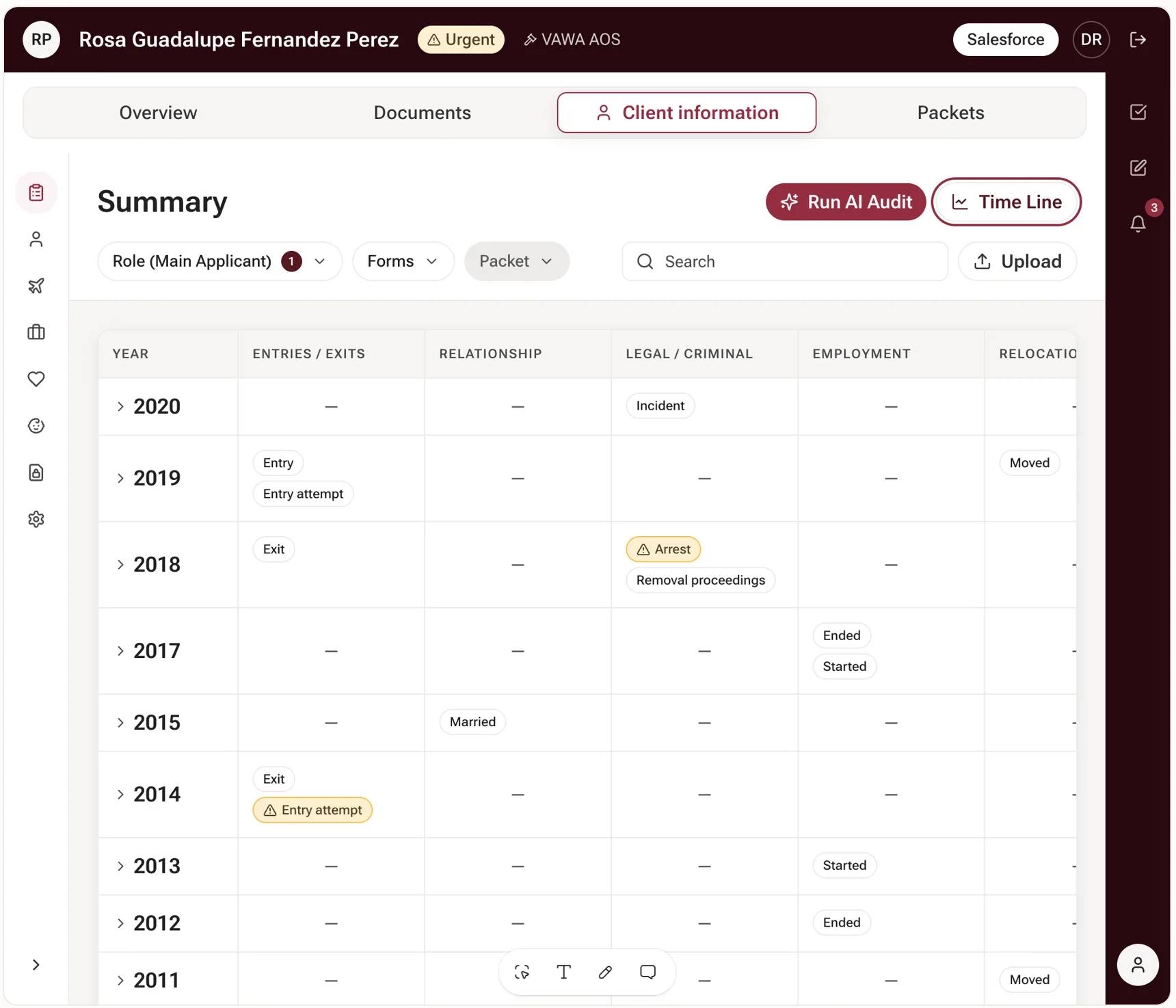
Client timeline
The case history year by year, with the points that need review flagged. Built as a working prototype with the real Design System tokens.